Amazon Flex Address Issues Guide 2026: Solve Delivery Address Problems
Master the skills to resolve wrong addresses, missing information, GPS errors, and other address challenges for successful deliveries every time.

Table of Contents
Address issues are among the most frustrating challenges for Amazon Flex drivers. A wrong address, missing unit number, or GPS error can turn a 2-minute delivery into a 15-minute ordeal—and sometimes result in packages you can't deliver at all. This guide provides systematic approaches to solving every type of address problem you'll encounter, helping you maintain efficiency and protect your delivery success rate.
As an Amazon Associate, we earn from qualifying purchases.
Address Finding Essentials
- GearLight LED Tactical Flashlight - Find house numbers in the dark
- iOttie Easy One Touch Car Mount - Easy GPS access for verification
- Anker PowerCore 20000mAh - Keep phone charged for GPS
- VIOFO Dash Cam - Document delivery locations
1. Common Address Issues Overview

Address problems fall into several categories, each requiring different resolution strategies:
Types of Address Issues:
- GPS Errors: Navigation leads to wrong location despite correct address
- Missing Information: No apartment/unit number, building name, or access code
- Typos and Errors: Misspelled street names, wrong house numbers
- Non-existent Addresses: Address combinations that don't exist
- Ambiguous Locations: Multiple possible locations match the address
- New/Unmarked Locations: New construction not yet in GPS databases
The key to handling all address issues is having a systematic approach. Don't panic when navigation fails—follow a methodical process to find the location or properly document why delivery wasn't possible.
2. GPS and Navigation Errors
GPS systems aren't perfect. They can lead you to the wrong location for several reasons: outdated map data, similar street names, GPS drift in certain areas, or multi-entrance properties. Here's how to handle GPS issues:
Step 1 - Verify the Address: Before assuming GPS is wrong, confirm you have the correct address from the package label. Sometimes drivers navigate to a previous stop's address by mistake.
Step 2 - Try Alternative Navigation: If the Amazon Flex app's navigation seems wrong, try Google Maps or Waze. Different GPS apps use different data sources and may provide better directions.
Step 3 - Look for Visual Confirmation: Look for house numbers, mailbox numbers, apartment building names, or business signs. These physical markers are more reliable than GPS pins.
GPS Error Solutions:
- Search the full address in a secondary GPS app
- Remove the unit number and search just the street address
- Look at satellite view to understand the area layout
- Check if the GPS pin is near but not exactly at the destination
- When in doubt, drive slowly and look for address numbers
3. Missing Unit or Apartment Numbers

Missing unit numbers are common and particularly frustrating at large apartment complexes. Here's how to resolve them:
Check Delivery Notes: The unit number might be in the delivery notes rather than the address line. Check all available information in the app.
Look for the Customer Name: If you have the customer's name, check mailboxes, building directories, or door nameplates. Many apartments have name labels that can help identify the correct unit.
Contact the Customer: Use the in-app calling or texting feature to reach the customer. A quick "I'm here but don't see a unit number—which apartment?" often resolves the issue.
Missing Unit Number Process:
- 1. Check delivery notes thoroughly
- 2. Look for building directory with customer name
- 3. Check mailbox labels if accessible
- 4. Call or text customer through the app
- 5. If no response after reasonable effort, mark as unable to deliver
4. Handling Wrong Addresses
Sometimes the address on the package is simply wrong—the customer made a typo, used an old address, or the system captured incorrect information. Here's how to handle these situations:
Obvious Typos: If the error is clearly a typo (123 Main St vs 123 Mian St), use your judgment. If you can reasonably identify the correct location, make the delivery. The customer's intent is clear despite the error.
Different Address Entirely: If the customer contacts you with a completely different address, you cannot deliver there. The delivery must go to the address on the package. Explain that they should update their shipping address for future orders.
Address Doesn't Match Package: If you arrive and someone claims the package but the address clearly doesn't match, don't deliver to that person. The package goes to the address on the label or back to the station.
Important:
Never deliver to an address other than what's on the package label, even if someone claims to know the recipient. Misdelivery can count against your metrics and creates liability issues.
5. Addresses That Don't Exist

Sometimes an address combination simply doesn't exist—the street exists but not that number, or the street name doesn't exist in that city. Here's how to verify and document:
Verify Thoroughly: Before concluding an address doesn't exist, try multiple search methods. Search the street name alone, look for similar street names, and check if the city/zip combination is correct.
Physical Search: If GPS shows the general area, drive there and look for the specific address. Sometimes addresses exist but aren't in GPS databases, especially for newer developments.
Neighbor Assistance: If you're in the right area but can't find the specific address, ask a neighbor if they know where that address is. Local knowledge often exceeds GPS accuracy.
Non-Existent Address Documentation:
- Take a photo of the area where the address should be
- Note what you tried (GPS apps, asking neighbors, etc.)
- Mark as "Address doesn't exist" in the app
- Return package to station as instructed
6. New Construction and Unmarked Locations
New developments, recently built homes, and under-construction areas create unique address challenges. GPS databases can lag months or years behind actual construction.
New Subdivisions: New neighborhoods may have streets that don't appear in GPS. Look for development entrance signs, builder signage, or sales office information that can help you navigate within the development.
Unmarked Houses: New homes often lack visible house numbers. Look for numbers on curbs, temporary construction addresses, or lot numbers that might match the package address.
Using Satellite View: Sometimes satellite imagery shows more recent development than GPS maps. Switch to satellite view to see actual buildings even if the GPS doesn't show streets.
New Construction Tips:
- Development names often appear on entrance signs
- Model home addresses can help orient you in new neighborhoods
- Construction workers may know which lot is which address
- Customer delivery notes often include "new construction" guidance
7. Rural and Remote Address Challenges

Rural deliveries present unique address challenges. Long driveways, county roads with similar names, and properties without visible house numbers are common.
Route Numbers vs. Street Names: Rural areas often use county route numbers (CR 100, Highway 20) rather than street names. Make sure you're searching for the correct designation.
Mailbox Numbers: Rural addresses often have numbers only on mailboxes at the road, not on the house. The house may be far back on a long driveway—the mailbox number is your confirmation.
GPS Limitations: GPS accuracy decreases in rural areas. Accept that the GPS may bring you to the general area rather than the exact driveway. Look for physical address markers.
Rural Delivery Strategy:
- Watch for mailbox numbers as you approach the address range
- Long driveways are common—drive up unless clearly private or blocked
- Dog warning: rural properties often have loose dogs
- Check delivery notes—rural customers often provide detailed directions
- Cell service may be limited—download offline maps if possible
8. Business Address Complications
Business addresses create specific challenges: suite numbers, building complexes, mall locations, and office parks with confusing numbering systems.
Suite Numbers: A business address with a suite number might be in a multi-story building, office complex, or strip mall. Look for building directories or signage to locate the specific suite.
Office Parks: Large office parks may have multiple buildings with internal addressing systems. The address might reference a building number (Building 3, Suite 100) that requires navigating the complex's internal roads.
Mall and Shopping Center Locations: Some businesses are inside malls or shopping centers. The customer may have used the mall address plus a store name. You may need to enter the mall to make the delivery.
Business Address Tips:
- Building lobbies often have directories showing suite locations
- Security guards can direct you to specific businesses
- Loading docks may accept deliveries if front desk is unavailable
- Search the business name online if the address is unclear
9. Using Customer Contact Effectively
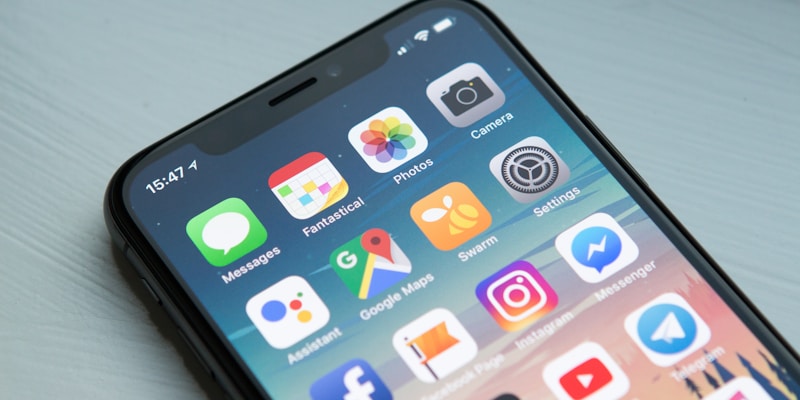
The Amazon Flex app allows you to call or text customers, which is invaluable for resolving address issues. Use this feature strategically:
When to Contact: Contact the customer when you've made reasonable efforts to find the location but can't proceed. Don't call immediately—try GPS alternatives and visual searching first. But don't wait too long either; a quick customer call often solves problems faster than extended searching.
Effective Communication: Be clear and concise. "Hi, this is your Amazon delivery driver. I'm having trouble finding your location. I'm at [describe where you are]. Can you help me find your address?" Most customers appreciate the effort and provide helpful directions.
No Response Scenarios: If the customer doesn't answer and you can't leave a package safely at an unconfirmed location, send a text explaining the situation. Wait a few minutes for response. If none comes, you may need to return the package.
Customer Contact Tips:
- Be professional and friendly—you represent Amazon
- Describe your location clearly to help the customer direct you
- Note any access codes or entry instructions they provide
- Thank them for their help after resolving the issue
10. Proper Documentation When Unable to Deliver
When you genuinely cannot complete a delivery due to address issues, proper documentation protects your metrics and creates a record for customer service:
Photo Documentation: Take a photo of the location where the address should be, or the area showing why delivery isn't possible. These photos are reviewed if delivery issues are disputed.
Accurate Reason Selection: The app offers several reasons for undeliverable packages. Select the most accurate one—"Address doesn't exist," "Unable to locate," "Access issue," etc. Accurate categorization helps Amazon improve their systems.
Notes: If the app allows delivery notes, briefly describe what you tried: "Searched address in 3 GPS apps, drove the block twice, no building with this number exists." These notes create a record of your effort.
Documentation Checklist:
- Photo of the location/area
- Accurate reason code selection
- Notes describing your efforts
- Follow return procedure exactly
- Keep package secure until returned to station
11. Prevention and Preparation Tips

The best address problem is one you prevent. Here are preparation strategies:
Review Route Before Starting: Quickly scan your route for potentially problematic addresses—unusual formats, rural areas, or addresses with notes. Mentally prepare for challenges before you encounter them.
Multiple Navigation Apps: Have both Google Maps and Waze installed and ready. When one fails, the other often succeeds. Some drivers also use Apple Maps or specialty navigation apps.
Read All Delivery Notes: Before approaching each address, read the full delivery notes. Customers often provide critical information like gate codes, building access instructions, or "GPS is wrong, take the second driveway" warnings.
Preparation Strategies:
- Download offline maps for areas with spotty cell coverage
- Keep flashlight handy for reading address numbers at night
- Familiarize yourself with common address patterns in your delivery area
- Build mental database of tricky addresses for future routes
- Don't rush—extra minutes finding the correct address beats returning packages
12. Frequently Asked Questions
What do I do if the Amazon Flex GPS takes me to the wrong location?
If GPS leads you astray, manually search the address in Google Maps or Waze for a second opinion. Look for visual cues like mailbox numbers, house numbers, or apartment building signs. If you still can't locate the address, contact the customer through the app or mark the delivery as unable to locate and follow the return procedure.
How do I deliver to an address with a missing apartment number?
Check the delivery notes and customer name for clues. Try calling or texting the customer through the app. Look for a building directory or mailbox labels with the customer's name. If you cannot identify the correct unit, mark the delivery as unable to complete due to insufficient address information.
What should I do if the address doesn't exist?
First verify you have the correct address from the package label. Try alternate GPS apps and search variations of the address. Ask neighbors if you're close to the supposed location. If the address genuinely doesn't exist, mark the delivery as "address doesn't exist" in the app and return the package to the station.
Can I leave a package if the address is slightly wrong but I found the right house?
Yes, if you're confident you've found the correct recipient's location. Use common sense—if the GPS says 123 Main St but you're at 123 Mane St (obvious typo), deliver there. However, if there's any doubt about the correct recipient, contact the customer or mark as undeliverable rather than risking a misdelivery.
Master Every Delivery Challenge
Address issues are just one obstacle. Explore our complete guide collection for solutions to every Flex delivery challenge.
Browse All Guides
About Glen Meade
Founder of FlexDriverGuide and SideQuestHustle.com. I've spent years researching gig economy platforms and interviewing hundreds of drivers to bring you strategies that actually work. My goal is to help you maximize your earnings while avoiding common pitfalls.