Amazon Flex Battery Management Guide 2026
Never run out of power during a delivery shift. Master phone battery optimization, choose the right charging equipment, and develop habits that keep your devices powered through even the longest blocks.

Table of Contents
As an Amazon Associate, we earn from qualifying purchases.
Battery & Charging Essentials
- Anker PowerCore 20000mAh Portable Charger - All-day power for long delivery shifts
- Anker USB-C Car Charger (48W) - Fast charging that keeps up with GPS drain
- iOttie Easy One Touch Car Mount - Keep phone positioned for optimal charging
- FOXWELL Portable Jump Starter - Emergency power for both phone and car battery
1. Why Battery Management is Critical

Your phone is your lifeline as an Amazon Flex driver. Without it, you can't receive navigation directions, scan packages, confirm deliveries, or communicate with support. A dead phone means a dead shift; you literally cannot complete deliveries without your device functioning. This makes battery management one of the most critical skills for successful Flex driving.
The Amazon Flex app is particularly demanding on phone batteries. Constant GPS usage for navigation, regular server communication for route updates, camera use for delivery photos, and keeping the screen active throughout deliveries all combine to drain batteries far faster than typical phone usage. Many drivers report their phones draining from full to empty within a few hours of active Flex work.
Running out of battery during a shift creates serious problems beyond just inconvenience. Undelivered packages affect your completion rate and standing. Customers don't receive their items on time. You may not be able to navigate back to the station to return undelivered packages. And you lose the earnings from an incomplete block. Prevention is far easier than dealing with these consequences.
A Dead Phone Means
- Can't navigate to delivery addresses
- Can't scan or confirm package deliveries
- Can't take required delivery photos
- Can't contact support if issues arise
- Potential negative impact on your standing
- Lost earnings from incomplete deliveries
2. Understanding Flex App Battery Drain
Understanding why the Flex app drains batteries so quickly helps you address the issue effectively. The app combines multiple power-intensive functions that run simultaneously throughout your shift, creating a perfect storm of battery consumption that exceeds almost any other phone use case.
GPS and location services are the primary power consumers. The app needs constant, high-accuracy location tracking to provide navigation, confirm your location at delivery addresses, and update your route in real time. This continuous GPS usage alone can drain a battery within four to five hours on many phones.
Screen time adds significantly to drain. Unlike most apps that you use briefly then close, the Flex app keeps your screen active throughout navigation and the delivery process. Even with auto-dimming, hours of active screen time consume substantial power. The brighter your screen, the faster this drain occurs.
Network activity compounds the drain. The app constantly communicates with Amazon's servers for route updates, delivery confirmations, and sync operations. Whether using cellular data or WiFi, this continuous communication requires radio power. Areas with weak signal are particularly draining as your phone works harder to maintain connection.
3. Optimizing Phone Settings

While you can't eliminate the Flex app's battery needs entirely, optimizing your phone settings reduces additional drain and extends your operational time. These adjustments can add hours to your battery life when combined with proper charging practices.
Screen brightness is one of the largest controllable power draws. Use auto-brightness to adjust to conditions, or manually set brightness to the minimum level still comfortable for reading the app. At night, lower brightness significantly. Dark mode, where available, reduces power consumption on OLED screens by using fewer lit pixels.
Close unnecessary background apps before starting your shift. Social media apps, games, email clients, and other apps running in the background consume battery even when you're not using them. Close everything except the Flex app and any essential utilities. Disable background app refresh for non-essential applications in your phone settings.
Battery-Saving Settings Checklist
- Reduce screen brightness or enable auto-brightness
- Enable dark mode if available
- Close all unnecessary background apps
- Disable Bluetooth unless using for audio
- Disable WiFi when using cellular data
- Turn off automatic app updates
- Disable push notifications for non-essential apps
- Never disable location services for the Flex app
4. Best Car Chargers for Flex Drivers
A high-quality car charger is essential equipment for Flex drivers. The charger needs to provide enough power to charge your phone while simultaneously running the power-hungry Flex app. Inadequate chargers may not keep up with consumption, resulting in slow battery drain even while plugged in.
Look for chargers with at least 18W output, preferably supporting fast charging standards like USB-PD (Power Delivery) or Quick Charge. These standards can charge modern smartphones significantly faster than basic chargers. A quality fast charger can add 50% or more battery in 30 minutes while a basic charger might only add 10-15%.
Consider chargers with multiple ports. A dual-port charger lets you charge your phone and a power bank simultaneously, or accommodate a second phone if you use multiple devices. Ensure the charger maintains full power output even when both ports are in use; some cheap chargers split power when multiple devices connect.
Car Charger Features to Look For
- 18W or higher output power
- USB-PD or Quick Charge support
- Dual ports for flexibility
- Compact design that doesn't block other ports
- Quality brand with good reviews
- LED indicator showing power status
5. Portable Power Bank Guide
A portable power bank serves as your backup when car charging isn't sufficient or available. Whether you need to charge while walking through an apartment complex, your car charger fails, or you're delivering away from your vehicle for extended periods, a quality power bank ensures you're never stranded with a dead phone.
Capacity matters, measured in milliamp-hours (mAh). A typical smartphone battery is 3,000-5,000mAh. A 10,000mAh power bank provides roughly two to three full phone charges, accounting for energy loss during transfer. A 20,000mAh bank provides four to six charges. For most Flex drivers, 10,000-20,000mAh offers the ideal balance of capacity and portability.
Output power determines how quickly the power bank charges your phone. Like car chargers, look for 18W or higher output with fast charging protocol support. Some power banks can charge a phone from empty to 50% in under 30 minutes, while basic models might take two hours for the same charge.
Size and weight matter for portability. Larger capacity banks are heavier and bulkier. A compact 10,000mAh bank fits in a pocket for emergency use, while a 20,000mAh bank might stay in your car or bag. Some drivers carry both: a compact emergency bank in their pocket and a larger capacity bank in the vehicle.
6. Cables and Charging Accessories
Even the best chargers are useless with poor quality cables. Cheap cables often can't handle the power throughput needed for fast charging, contain substandard components that degrade quickly, and may even damage your phone or charger. Investing in quality cables pays dividends in reliable charging performance.
Choose cables rated for fast charging and data transfer. Look for cables that explicitly support USB-PD or Quick Charge if your charger and phone use these standards. Braided nylon cables tend to be more durable than plastic-coated ones, resisting the constant plugging and unplugging that delivery work requires.
Keep multiple backup cables in your vehicle. Cables fail, get lost, or are forgotten at home. Having two or three backups ensures you're never without charging capability. Store them in consistent locations so you can find them quickly when needed. Replace any cable showing wear, fraying, or exposed wires immediately.
Charging Cable Best Practices
- Buy from reputable brands (Anker, Belkin, Apple, Samsung)
- Choose cables at least 3 feet long for mount flexibility
- Keep 2-3 backup cables in your vehicle
- Replace damaged cables immediately
- Match cable type to your phone (USB-C, Lightning)
- Avoid gas station or dollar store cables
7. Phone Mounts with Charging
A phone mount is essential for safe Flex driving, and some mounts include built-in wireless charging capability. These combination devices provide the convenience of seeing your phone at a glance while keeping it charged without cable management. For compatible phones, wireless charging mounts can be an elegant all-in-one solution.
Wireless charging mounts come in various styles: vent-mounted, suction cup mounted, and CD slot mounted. Consider your vehicle layout when choosing. The mount should position your phone where you can see navigation at a glance without significantly obstructing your view of the road. Stability is crucial; the mount shouldn't allow the phone to wobble or fall during driving.
Be aware that wireless charging is typically slower than wired fast charging. A 10W wireless charger may not keep up with the Flex app's power consumption, resulting in slow drain even while mounted. Some high-power wireless chargers (15W or higher) better match consumption rates. For maximum charging speed, wired connections remain superior.
Heat is a consideration with wireless charging. The charging process generates heat, and phones already run warm from the Flex app's demands. In summer heat, wireless charging may cause phones to thermal throttle or display temperature warnings. Wired charging typically generates less heat than wireless alternatives.
8. Battery Care in Extreme Temperatures
Lithium-ion batteries, used in all modern smartphones, are sensitive to temperature extremes. Both excessive heat and cold affect battery performance and can cause permanent damage. As a Flex driver working in all conditions, understanding temperature impacts helps you protect your phone and maintain reliable power.
High temperatures are particularly damaging. Phones left in hot cars can reach temperatures that degrade battery capacity permanently. During summer, never leave your phone in direct sunlight even while charging. If your phone displays a temperature warning, stop using it immediately, remove it from heat sources, and let it cool before continuing. Chronic heat exposure significantly shortens battery lifespan.
Cold temperatures reduce battery efficiency temporarily. Your phone may show lower battery percentage in cold weather and may shut down at higher remaining charge than normal. This effect is temporary; the battery recovers when warmed. Keep your phone close to your body in extreme cold to maintain its temperature. Avoid charging very cold batteries, which can cause damage.
Temperature Guidelines for Phone Batteries
- Ideal operating range: 32°F to 95°F (0°C to 35°C)
- Never leave phone in car during extreme heat
- Keep phone close to body in extreme cold
- Allow cold phones to warm before charging
- Remove phone case if overheating during charging
- Pause delivery work if phone displays temperature warnings
9. Backup Device Strategies
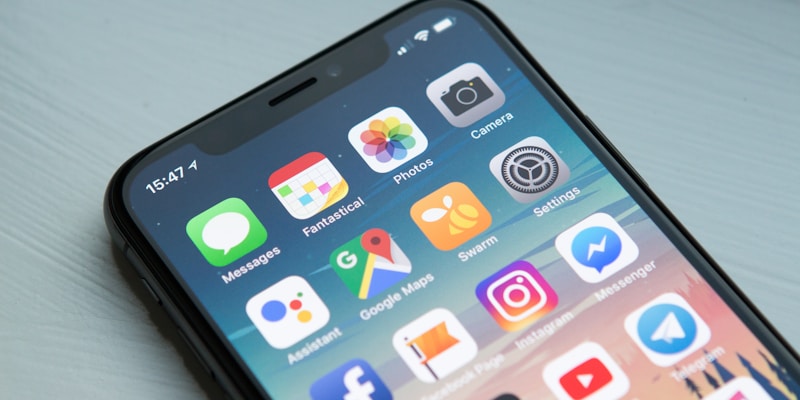
Serious Flex drivers often maintain backup devices to ensure they're never sidelined by phone issues. A secondary phone, fully charged and ready, provides insurance against your primary device failing, breaking, or running out of battery despite your best efforts. This strategy turns potential disasters into minor inconveniences.
A backup phone doesn't need to be expensive or new. An older but functional smartphone can run the Flex app adequately. The device needs sufficient processing power, working GPS, a functional camera, and enough storage for the app. Many drivers repurpose old phones when they upgrade, keeping the previous device as a dedicated Flex backup.
Keep your backup device charged and the Flex app installed and updated. Periodically log in to verify it works correctly; you don't want to discover problems during an emergency. Store it in your vehicle so it's always available. Some drivers keep it plugged into their car charger while they use their primary device, ensuring it's always at full charge.
Switching devices during a shift is straightforward. The Flex app syncs your route to Amazon's servers, so logging in on a different device picks up where you left off. You may need to re-download the route itinerary, but your progress is preserved. This capability makes the backup strategy practical for real-world use.
10. Long-Term Battery Health
Flex driving is hard on phone batteries. The constant charging, heavy usage, and temperature variations accelerate battery degradation compared to typical phone use. Understanding how to maintain long-term battery health extends your phone's useful life and delays the expense of replacement.
Modern lithium-ion batteries don't need to be fully discharged before recharging. In fact, deep discharges stress batteries more than shallow ones. When possible, charge before your battery drops below 20% and don't wait until it's completely dead. Keeping batteries between 20-80% charge most of the time is ideal for longevity, though this isn't always practical during Flex work.
Avoid keeping your phone at 100% charge for extended periods, which also stresses batteries. If you're not working for a few days, let the battery rest at 40-80% rather than keeping it plugged in at full charge. Many modern phones have battery protection features that limit charging to 80-85% to extend battery lifespan; consider enabling these when not working.
Battery Health Best Practices
- Avoid full discharges when possible
- Don't leave phone at 100% for extended periods
- Use moderate charging speeds when time permits
- Keep phone cool during charging
- Check battery health periodically in settings
- Consider battery replacement when health drops below 80%
11. Emergency Power Solutions
Despite best preparations, emergencies happen. Your car charger fails, you forgot your power bank, or multiple device failures coincide. Having emergency power strategies in mind helps you salvage shifts that might otherwise be lost and prevent the panic of a dying phone with deliveries remaining.
Many retail locations offer phone charging. Gas stations, convenience stores, and pharmacies often have charging kiosks or will let you plug in for a few minutes if you explain your situation politely. Fast food restaurants with seating usually have accessible outlets. Even a 15-minute charge while you grab a drink can provide enough power to complete a few more deliveries.
In true emergencies, consider purchasing a cheap charger and cable from a nearby store. Dollar stores, pharmacies, and gas stations all sell charging equipment. While these aren't ideal for daily use, they'll get you through an emergency. The cost is far less than the earnings lost from an incomplete shift.
If your phone dies with deliveries remaining, contact Amazon support as soon as you have any power. Explain the situation and follow their guidance. They may extend your delivery window, mark packages for return, or provide other solutions. Honest communication about genuine emergencies is always better than simply not completing deliveries.
12. Frequently Asked Questions
How do I keep my phone charged while driving for Amazon Flex?
Use a high-quality car charger with at least 18W fast charging capability connected to a sturdy phone mount. Keep your phone on the charger while driving between stops. For longer shifts, carry a portable power bank as backup. Avoid using frayed cables which charge slowly and can damage your phone.
What size power bank do Amazon Flex drivers need?
A 10,000-20,000mAh power bank provides 2-4 full phone charges, sufficient for most delivery shifts. Choose one with fast charging output (18W or higher) and multiple ports if you use additional devices. Compact models fit in pockets for emergency situations when you're away from your vehicle.
Why does the Amazon Flex app drain my battery so fast?
The Flex app uses GPS constantly, keeps the screen active for navigation, and regularly communicates with servers for route updates. This combination of location services, screen time, and data usage drains batteries faster than typical app usage. Keeping your phone plugged in while delivering is essential for maintaining power.
What phone settings help save battery during Amazon Flex deliveries?
Reduce screen brightness or use auto-brightness, close unnecessary background apps, disable Bluetooth and Wi-Fi when not needed, use dark mode if available, and disable automatic app updates during deliveries. However, never disable location services as the Flex app requires them to function properly.
Stay Powered Up, Keep Earning
Proper battery management eliminates one of the most common problems Flex drivers face. Invest in quality charging equipment and follow these practices to ensure you never lose a shift to a dead phone.
Explore More Guides
About Glen Meade
Founder of FlexDriverGuide and SideQuestHustle.com. I've spent years researching gig economy platforms and interviewing hundreds of drivers to bring you strategies that actually work. My goal is to help you maximize your earnings while avoiding common pitfalls.